

Triggers
A trigger decides when a workflow runs. Every workflow can be run manually from the editor; triggers add automation on top.
Trigger types
Section titled “Trigger types”- Manual — run the flow from the editor, any time. Every workflow supports this.
- Schedule — run on a cron schedule (“every morning at 9”, “every 15 minutes”). In multi-instance deployments only the elected leader fires schedules, so a flow never double-runs.
- Webhook — the flow gets a unique inbound URL on the webhook API. Point an external service (a form, a Git host, a payment provider, or a plain
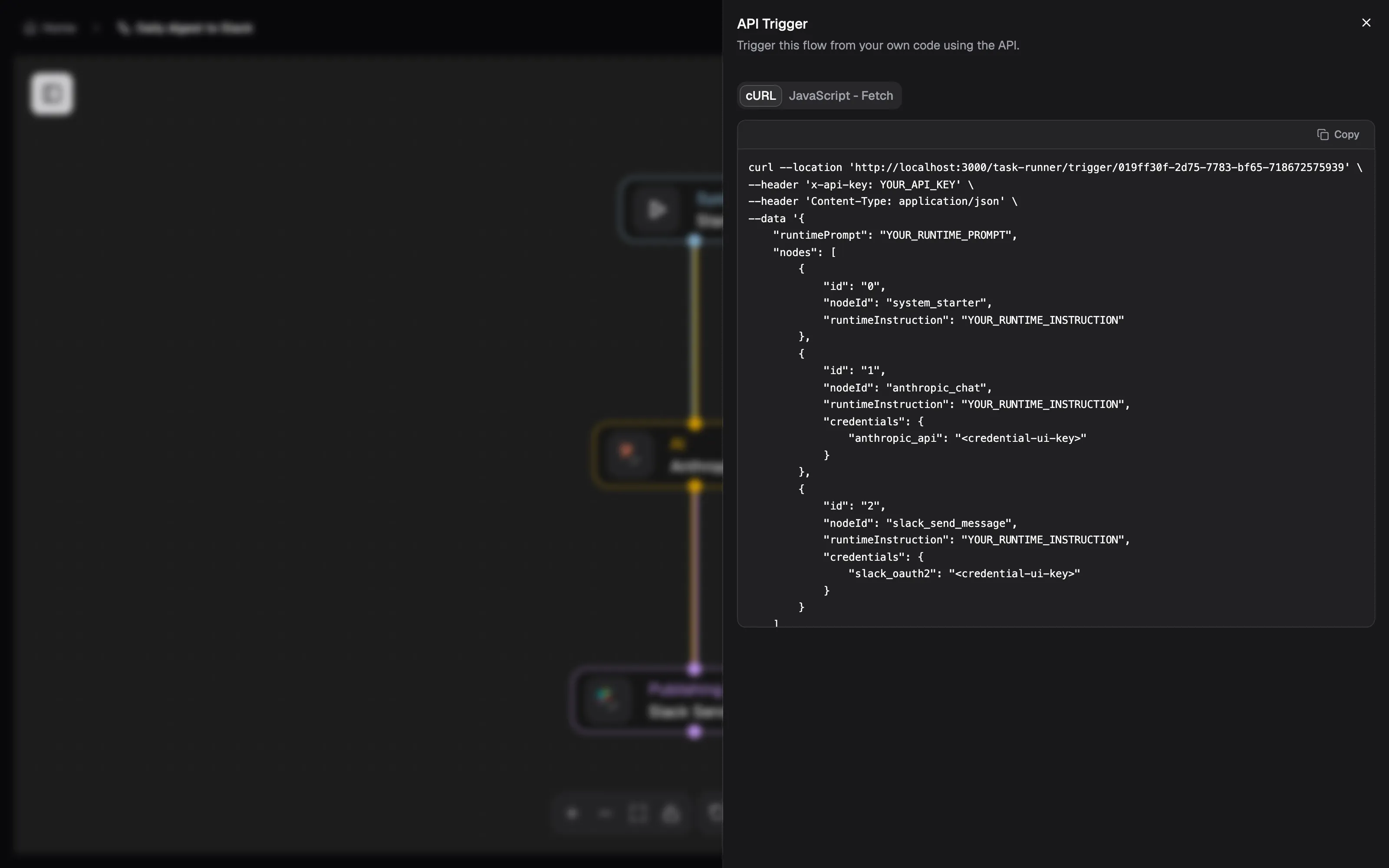
curl) at it and each delivery starts a run. - API — start runs programmatically through the platform API with an API key, passing input data for the run. You don’t have to write the request yourself: the flow editor’s toolbar has an API Trigger panel (the
</>button) with ready-made cURL and JavaScript fetch examples for that exact flow — endpoint,x-api-keyheader, and a request body listing each node’s runtime instruction and credential references, prefilled from the canvas.
Webhook triggers in practice
Section titled “Webhook triggers in practice”- Each webhook trigger gets its own unguessable token-based URL — treat it like a secret; regenerate it if it leaks. The editor shows the full URL to hand to the external service; it is served by
webhook-api, which lives athttps://webhooks.blocknext.aion Cloud and on port3200of your own stack when self-hosting. - For known sources, adapters normalize the incoming payload into a common shape, and source-specific signature verification (HMAC) rejects forged deliveries. The trigger reference lists the registered sources and their webhook URL patterns.
- Generic JSON payloads work too — whatever arrives is exposed to the flow.
Using trigger data in the flow
Section titled “Using trigger data in the flow”Whatever starts the run is available to every node through $trigger.* references:
| Variable | Contains |
|---|---|
$trigger.source |
Where the event came from |
$trigger.sender |
Who caused it |
$trigger.prompt |
A natural-language message, when the source carries one |
$trigger.payload |
The full normalized payload |
A trigger can also override parts of the workflow’s configuration per run — the same flow can behave differently depending on what invoked it, without duplicating the canvas.